Hosting alternatives
While the 01 Getting started uses Vercel as the hosting platform, the site can be run on any other hosting platform. Some alternatives are listed below.
Self hosting
Local Export (no GitHub required)
The plugin has a built-in Export Garden to Local Folder command that writes all your published notes and images directly to a local copy of the digitalgarden template. This means you can build and host the site yourself without using GitHub as an intermediary.
- Clone or download the digitalgarden template
- In the plugin settings, scroll to Local Export and set the folder path to where you cloned the template
- Run the Export Garden to Local Folder command from the command palette
- In the digitalgarden folder, run
npm installthennpm run buildto generate the static site - Deploy the
dist/folder to any static hosting provider or your own server
You can also use npm run dev to preview the site locally with hot reload before deploying.
Publish status tracking and diffing are not available with local export. It performs a full export each time, which is fast since it's writing to local disk.
Other self-hosting approaches
You can also use the approach explained in the following GitHub discussion
Vercel
Blank garden
To deploy your site to Vercel instead of Netlify, follow the steps in 01 Getting started, but instead of using the "Deploy to Netlify" button in step 3, click the button below.
Importing existing garden
Check if your garden has the "vercel.json" file in the root folder.
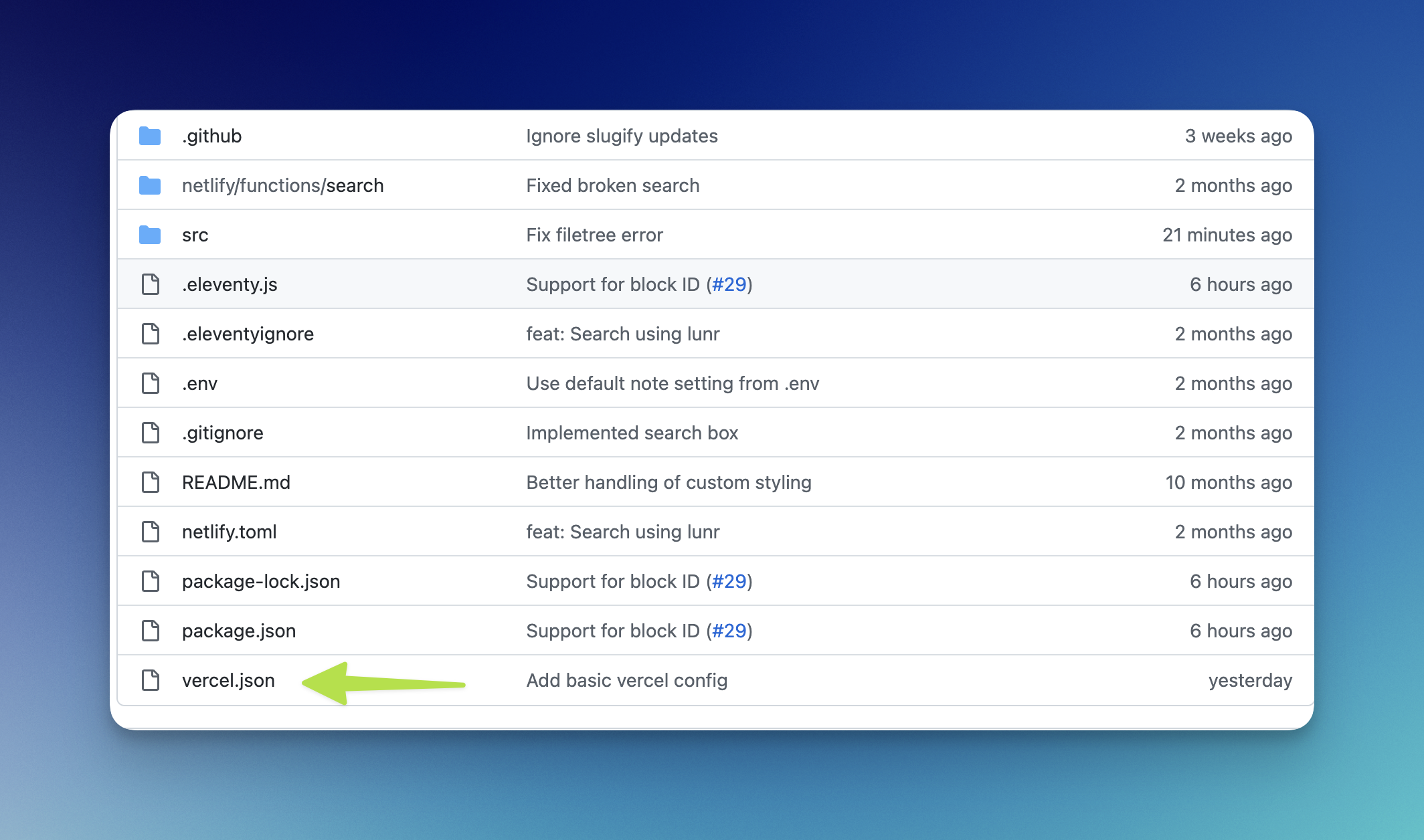
If not, add it, and copy the content from here
Then go to https://vercel.com/new and choose your digital garden repository from GitHub.
Verify that the following settings are set for "Build and Output" :
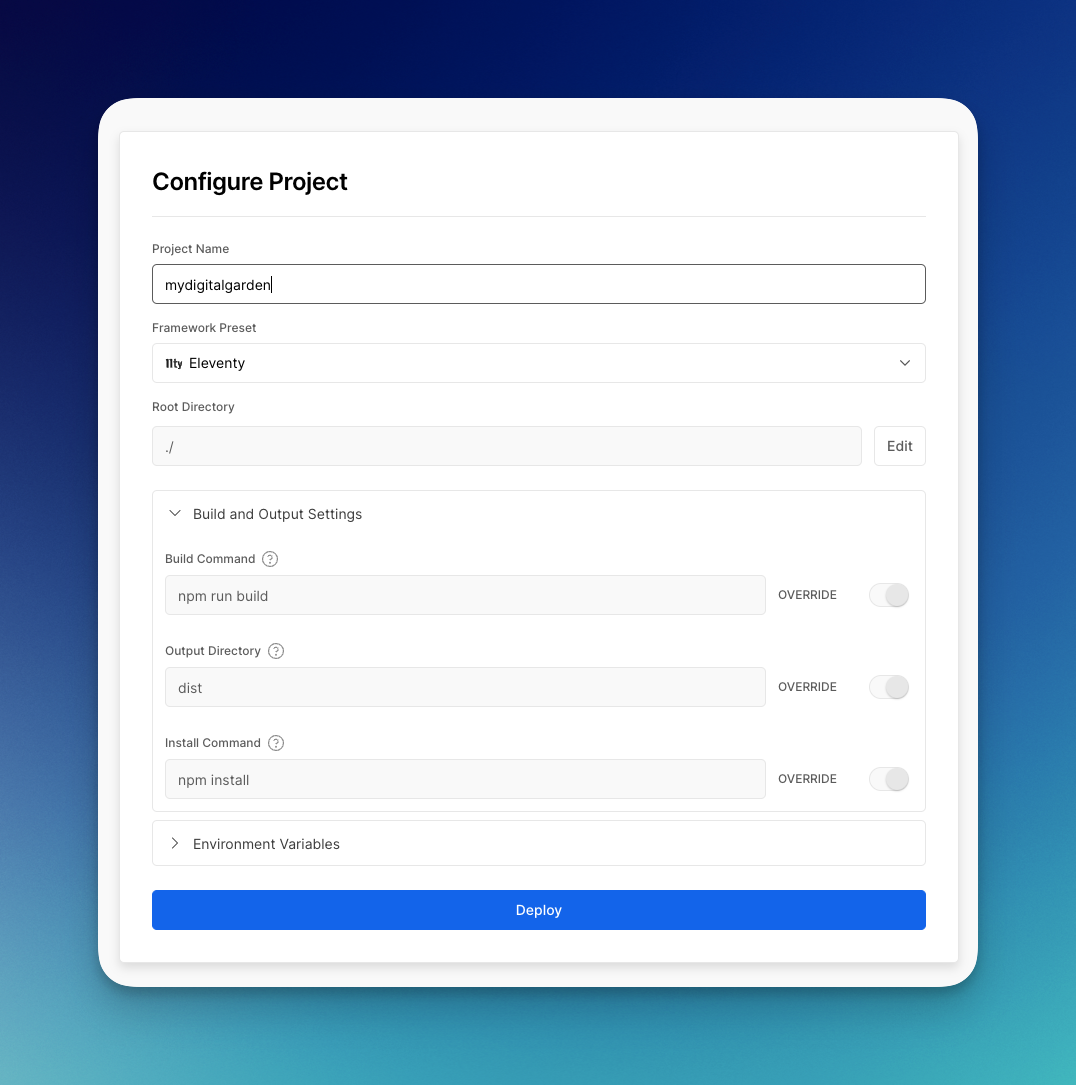
Click "Deploy", and your site should be live.
Netlify
Blank garden
To deploy your site to Netlify instead of Vercel, follow the steps in 01 Getting started, but instead of using the "Deploy to Vercel" button in step 3, click the button below.

Others
The garden should work just fine with all static site hosting providers such as CloudFlare, Deno, Github Pages etc. Start by going to the digitalgarden repo and clicking the Use This Template > Create a new repository. 
You should then be able to create an account with your hosting provider of choice and connect it to your newly created repository. If the setups asks for an install command, output directory or build command, use those that are visible in the picture from Vercel above.